

All your PDF tools, offline
Merge, split, compress, convert, edit and sign your PDFs on your own computer. Fast, private and ad-free.
Download for WindowsOpen source · Free · No ads
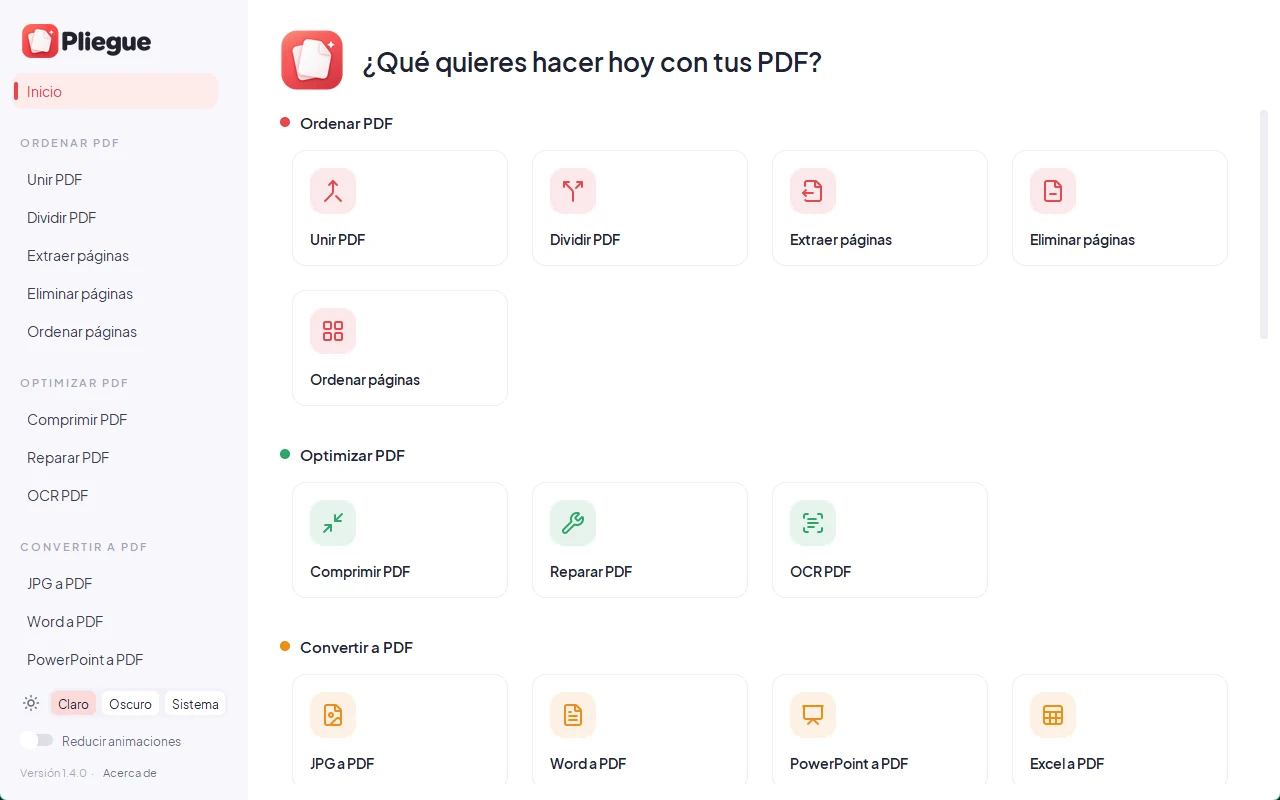
Take a look
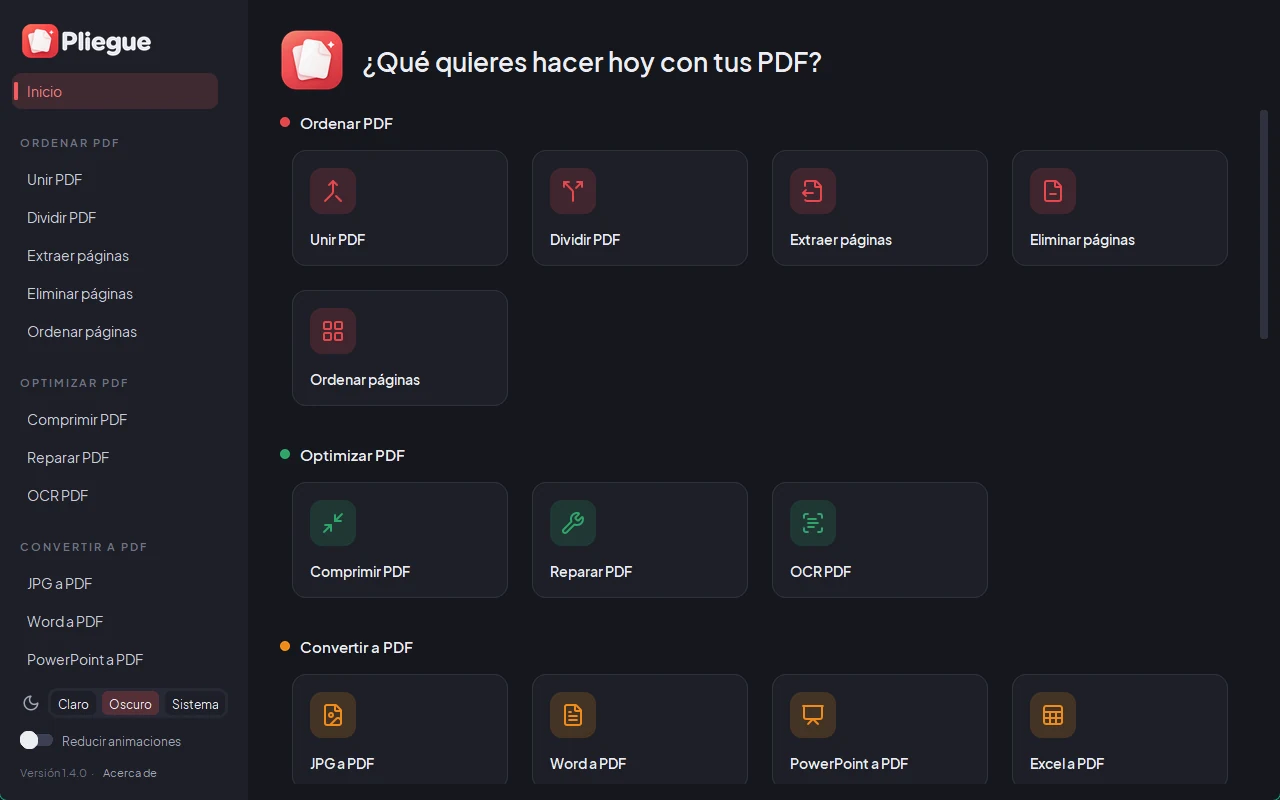
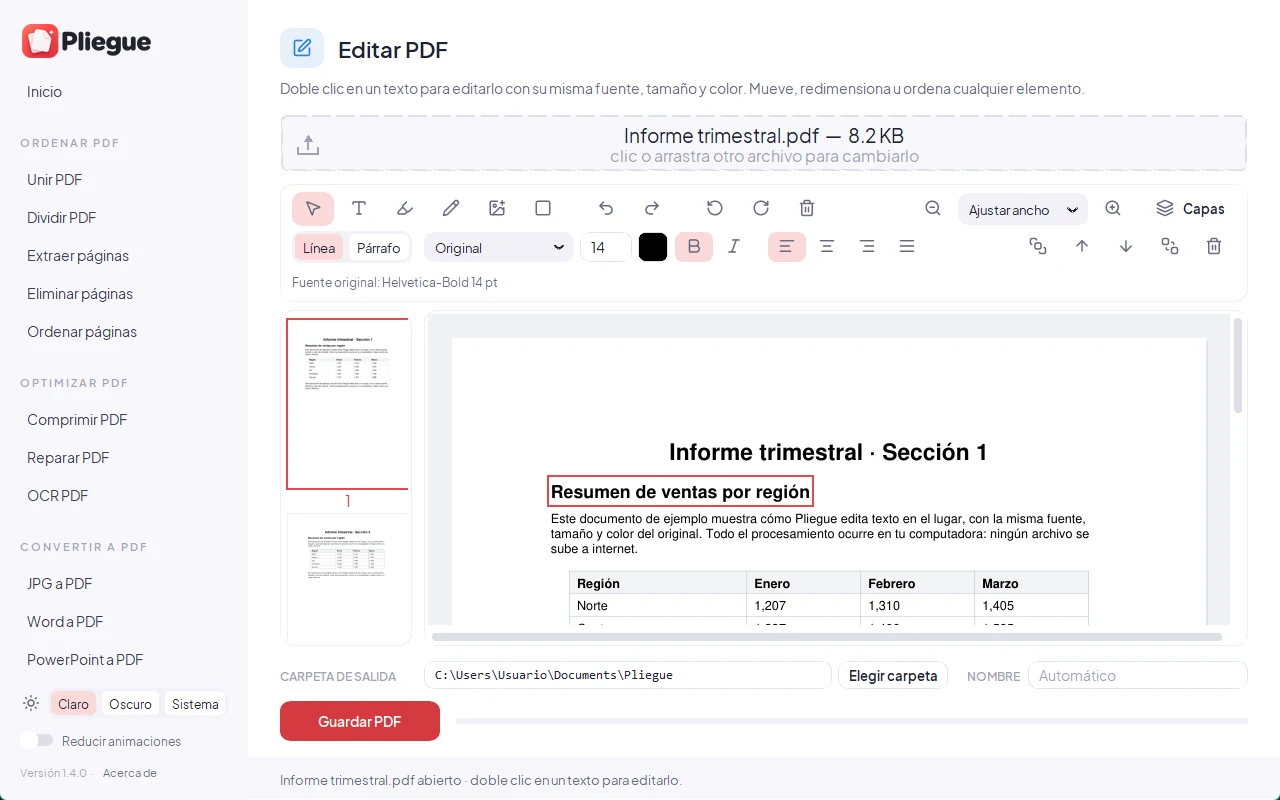
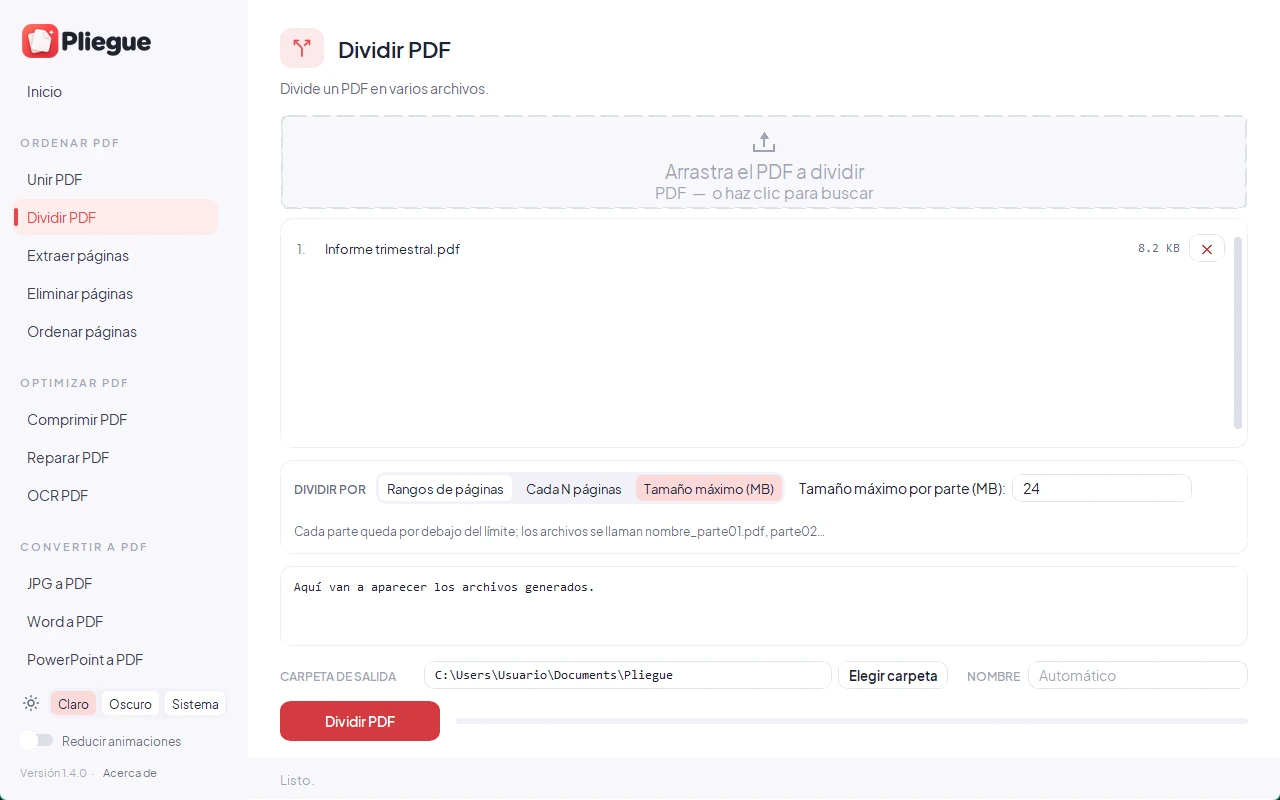
31 tools in a single app
The same categories and icons you will see in Pliegue (the app interface is in Spanish).
Organize PDF
- Merge PDF
- Split PDF
- Extract pages
- Delete pages
- Reorder pages
Optimize PDF
- Compress PDF
- Repair PDF
- OCR PDF
Convert to PDF
- JPG to PDF
- Word to PDF
- PowerPoint to PDF
- Excel to PDF
- HTML to PDF
Convert from PDF
- PDF to JPG
- PDF to Word
- PDF to PowerPoint
- PDF to Excel
- PDF to PDF/A
Edit PDF
- Rotate PDF
- Page numbers
- Watermark
- Crop PDF
- Edit PDF
- PDF forms
Edit & sign
- Sign PDF
- Protect PDF
- Unlock PDF
- Redact PDF
- Compare PDF
Images
- Convert images
- Compress images
Your files never leave your computer
All processing happens on your machine. Pliegue has no telemetry, analytics or ads, and it does not connect to the internet. The only exception is optional: in "HTML a PDF" you can type a web address, and that page is then downloaded to convert it.
- Works offline
- No accounts or sign-ups
- No trackers or ads
- Open source: anyone can review it
Installation
- Download Pliegue_Setup.exe with the button above.
- Run it. If Windows shows "Windows protected your PC", click More info and then Run anyway.
- Follow the wizard. Pliegue is added to the Start menu and the Desktop.
Why does that warning appear? The installer has no paid code-signing certificate (they cost hundreds of dollars a year), so Windows does not recognize the publisher. It does not mean it has a virus: the code is public and you can check that the file is the original with its SHA-256.
Installer SHA-256: a6c6ab8934bc8e6e5f8bbca4861c9cafc61140c290732af2cbb275e335799bfb
Windows protected your PC
Microsoft Defender SmartScreen prevented an unrecognized app from starting. Running this app might put your PC at risk.
More info
App: Pliegue_Setup.exe
Publisher: Unknown publisher
Frequently asked questions
Is it free?
Yes, completely free and ad-free. It is free software under the AGPL-3.0 license.
Does it need the internet?
No. Every tool works offline. Only "HTML a PDF" uses the internet if you type a web address.
Which Windows versions are supported?
Windows 10 and Windows 11, 64-bit. Word, PowerPoint or LibreOffice are optional: they improve "Word to PDF" and "PowerPoint to PDF".
How do I uninstall it?
Go to Settings → Apps → Installed apps, find Pliegue and choose Uninstall.
Where is the source code?
On GitHub: github.com/Blureckzhyto/pliegue. You can review it, build it yourself and suggest improvements.
Is the app in English?
The app interface is in Spanish. This page is available in both languages.